Organize character controls into a consistent layout and reuse your character’s body settings and expressions across shots.
Open Scripts → SFM Character Tools to access the three tools.
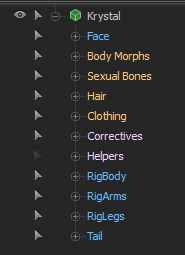
Control Group Normalizer groups bones and flexes consistently so familiar controls are easier to find across different models. Rebuild selected shots or your whole project without changing its shot structure.
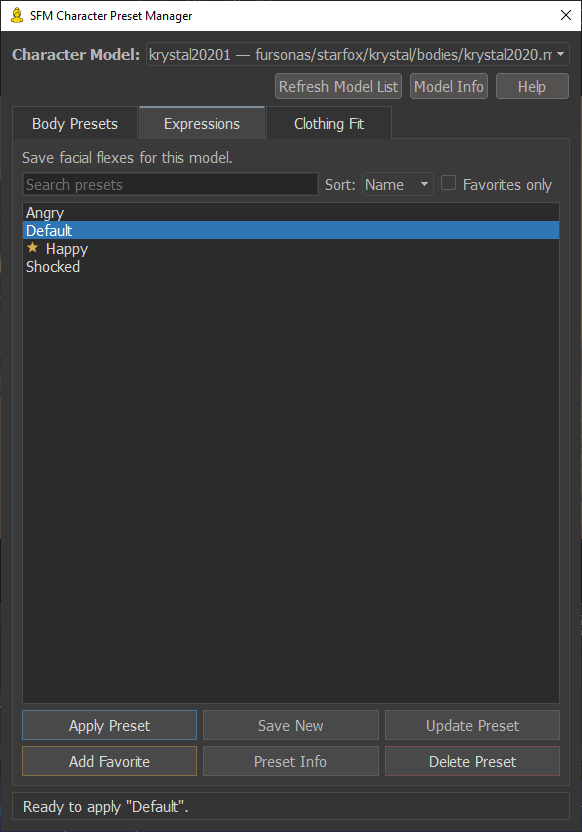
Character Preset Manager saves body settings, bone scaling and facial expressions as reusable presets. It also fits clothing to characters. Move the playhead into your character’s shot, refresh the model list, and select the character to get started.
Control Group Updater downloads updated model recognition and incorporates your own Animation Groups edits. The included catalogue was built from scans of more than 9,000 SFM models, with support continuing to grow.
Features
- Consistent bone and flex groups across models
- Save, update, favorite and delete body and expression presets
- Preserve bone scaling in Body Presets
- Fit clothing to a character
- Standardize control groups in selected shots or across your whole project
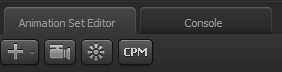
- Optional Character Preset Manager toolbar button
Before using: save your project before running the Normalizer—it does not support Undo. Back up any customized Animation Groups file before installing.
Known limitations: Body Preset saving can fail with some bone-scale configurations or after importing animation sequences. Fixes are in progress.
Version: 1.0.0 · Updated: 24 Oct 2026 · Public Domain (CC0)
Release History
Version 1.0.0 — 24 Oct 2026
- Initial release